
A meal planner that sends each recipe's ingredients to your grocery list.
Most family meal planners stop at "here's a week of meals." Lightstead's planner goes the next step — pick recipes for the week, tap once, and every ingredient becomes a row in the rolling grocery list, with duplicates merged against what's already there. Plan Sunday evening, shop Monday morning, cook Tuesday through Saturday with the recipe a tap away. The whole thing lives in the same household workspace as the calendar and chores.
- WeekPlan — by week or rolling 7 days
- 1-tapRecipe → grocery list, duplicates merged against rows already there
Assign recipes to days — move them around as the week shifts.
The week-plan view is a 7-column grid. Pick a recipe from the recipe drawer to assign it to Tuesday; move it to Thursday if the schedule shifts. Each day can hold multiple meals (breakfast, lunch, dinner, snacks). Empty days are obvious; over-planned days collapse into a stacked view.
- Tap-to-assign recipes per day
- Multiple meals per day
- Stacked over-planned view
- Mobile and desktop parity
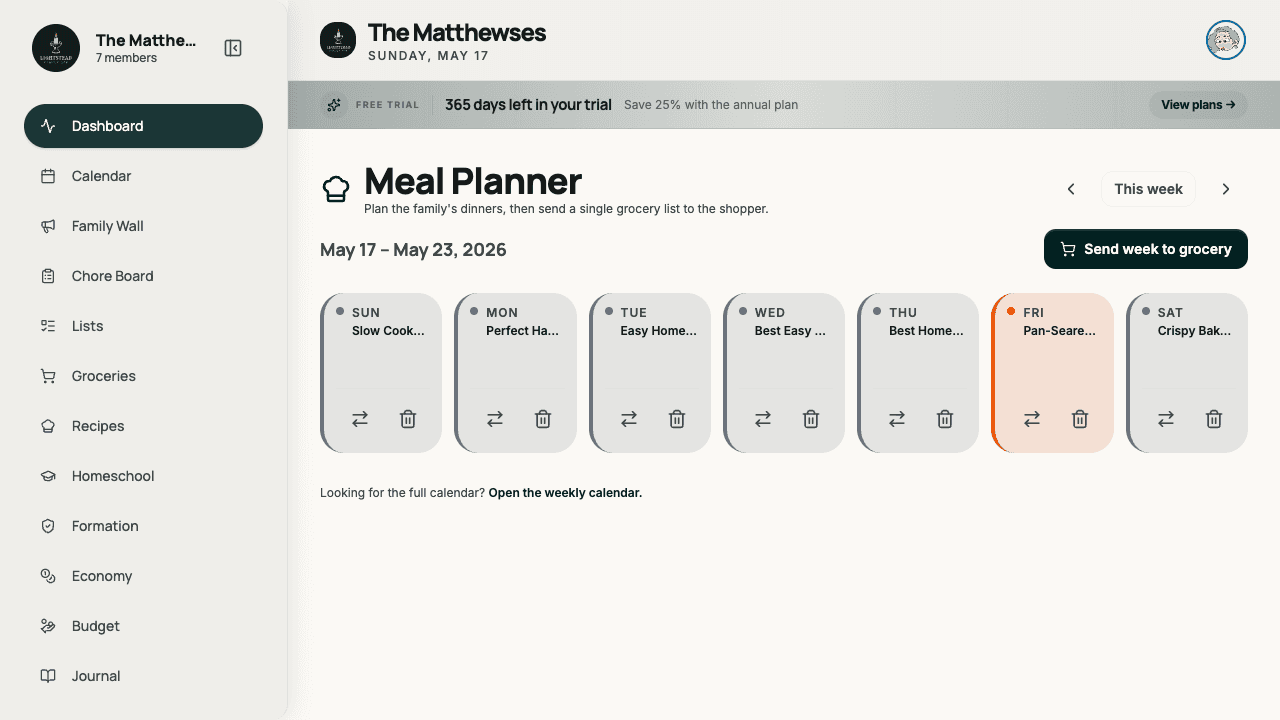
One button — every ingredient becomes a grocery row.
Each recipe carries an ingredient list with quantities. Tap "send to groceries" and every ingredient becomes a row in the rolling grocery list. Duplicates are merged against rows already there (you don't get two "milk" rows). The recipe-link badge stays on each row, so checking off in the kitchen also marks it off in the recipe's prep view.
- Per-ingredient quantity
- Merges duplicates against rows already there
- Recipe-link badge on grocery rows
- Reverse-link: check in groceries, reflect in recipe
It works alone — but it's better with the rest.
Common questions.
How does Lightstead's meal planner work?
Assign recipes to a 7-day grid. Each recipe carries an ingredient list with quantities. One button sends every ingredient into the rolling grocery list, merging duplicates as it goes. Plan Sunday, shop Monday, cook the week from there.
Does it combine ingredients across recipes?
Yes. If Monday's pasta needs 1 lb ground beef and Wednesday's tacos need 1 lb ground beef, the grocery list gets one row for 2 lb ground beef, not two separate rows. It understands units, so it merges common variations too ("1 cup" + "2 cups" = "3 cups").
Can I bring my own recipes?
Yes. Lightstead's recipe library accepts manual recipe entry and paste-from-URL imports (basic JSON-LD recipe parsing). The library is yours — Lightstead doesn't push a sponsored recipe catalog.
Does the meal planner integrate with the grocery list?
That's the central feature. Each recipe sends its ingredients into grocery rows; grocery rows link back to the recipe; checking off a row in the kitchen marks it off in the recipe's prep view. The two are designed to work together.
What if I plan a week and life changes mid-week?
Drag a recipe from Wednesday to Friday in 2 seconds; the grocery list re-syncs automatically (no double-counting, no orphan rows). Lightstead is built for the plan-changes-on-Wednesday reality, not the plan-is-sacred fantasy.
Can the meal planner suggest recipes?
Not via AI today (deferred to v2 per the product roadmap). It can suggest recipes you haven't cooked recently — the "last served" date per recipe lets the planner highlight options you'd otherwise forget about.
How is this different from a meal-kit service like HelloFresh?
Meal kits ship ingredients to your door. Lightstead doesn't ship anything — it plans, sends each recipe's ingredients to your grocery list, and shows the recipe in the kitchen. Use Lightstead with whatever ingredient supplier you prefer (grocery store, farm share, online order). Many families combine: a meal kit for 3 nights, Lightstead-planned recipes for the other 4.
Plan once, shop once, cook the week.
14-day free trial. Assign recipes to days, send them to the grocery list with duplicates merged — all in one household workspace.
Start free trial