
Track behavior with restoration steps — not punishment ladders.
When something goes sideways, you don't always have a plan. Formation gives you one: log the incident, set the severity, pick a consequence with restoration steps attached (apologize directly, help with X, journal about it, no screens for 24h). Steps check off as they happen; history reveals patterns; the frame is repair, not retribution.
- 3Severity levels — minor, moderate, serious (you set the meaning)
- RestoreEvery consequence carries restoration steps, not a count-down clock
- Parent-onlyThe whole feature is parent-only — kids don't see the log, severity, or active steps
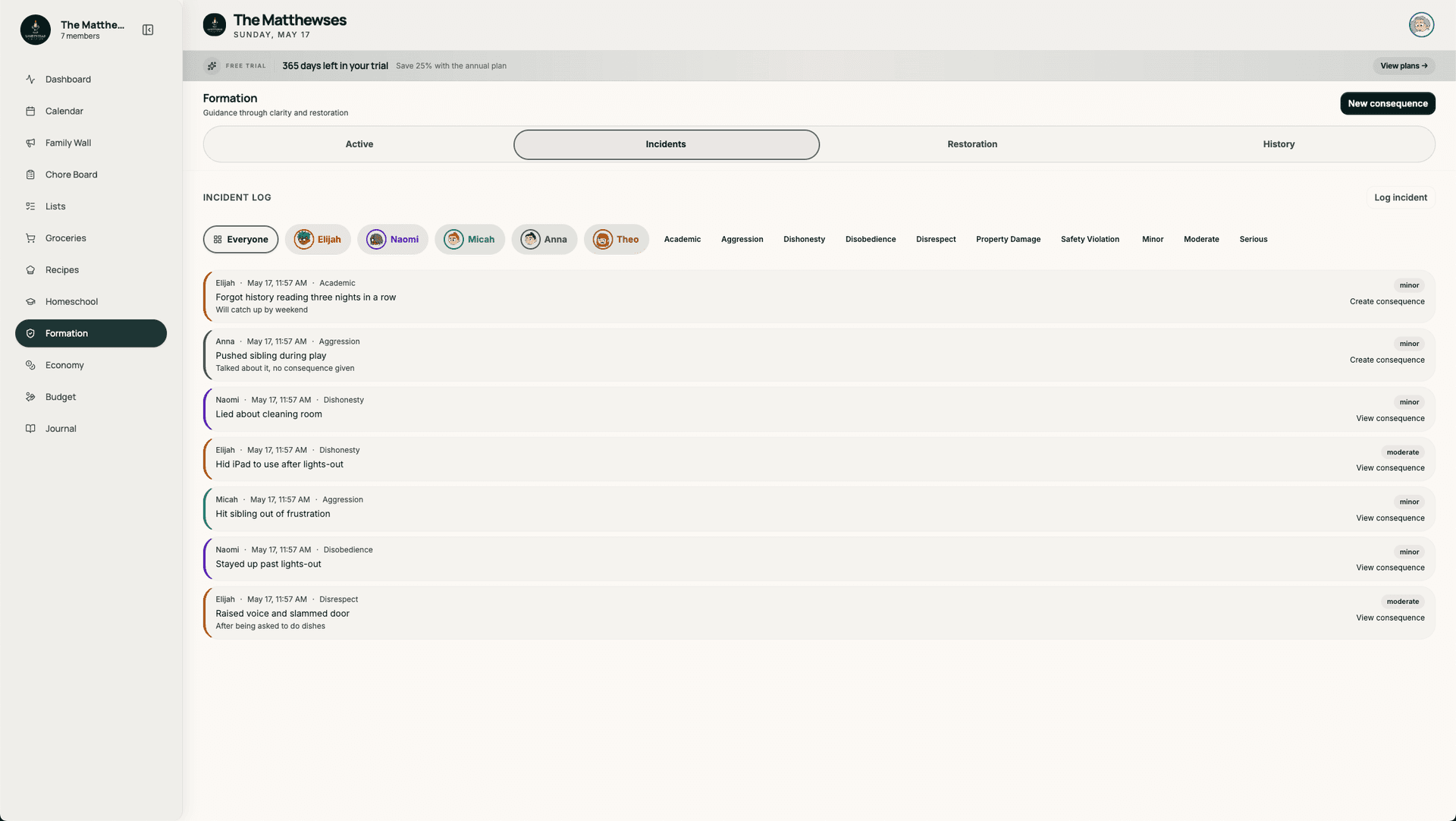
Capture what happened — not just what you'll do about it.
Every event starts with an incident: which child, which category (your household's categories, not ours), severity, and a short summary. Optional notes for context. The log is filterable by child, category, and severity, so patterns emerge instead of staying anecdotal.
- Household-defined incident categories
- Minor / moderate / serious severity levels
- Filter by child, category, severity
- Notes field for context the future you'll want
Every consequence carries restoration steps. The clock isn't the point.
Pick a consequence from your household's library (or create one): "no screens 24h," "apologize directly + help with X," "journal + read 20 min." Each one has restoration steps — concrete, checkable, things the kid actually does. Done isn't "time served." Done is "steps complete."
- Household library of consequences
- Restoration-step checklist per consequence
- Restoration steps stay on the parent screen — you communicate them to the kid directly
- Mark complete or extend — the parent owns the loop
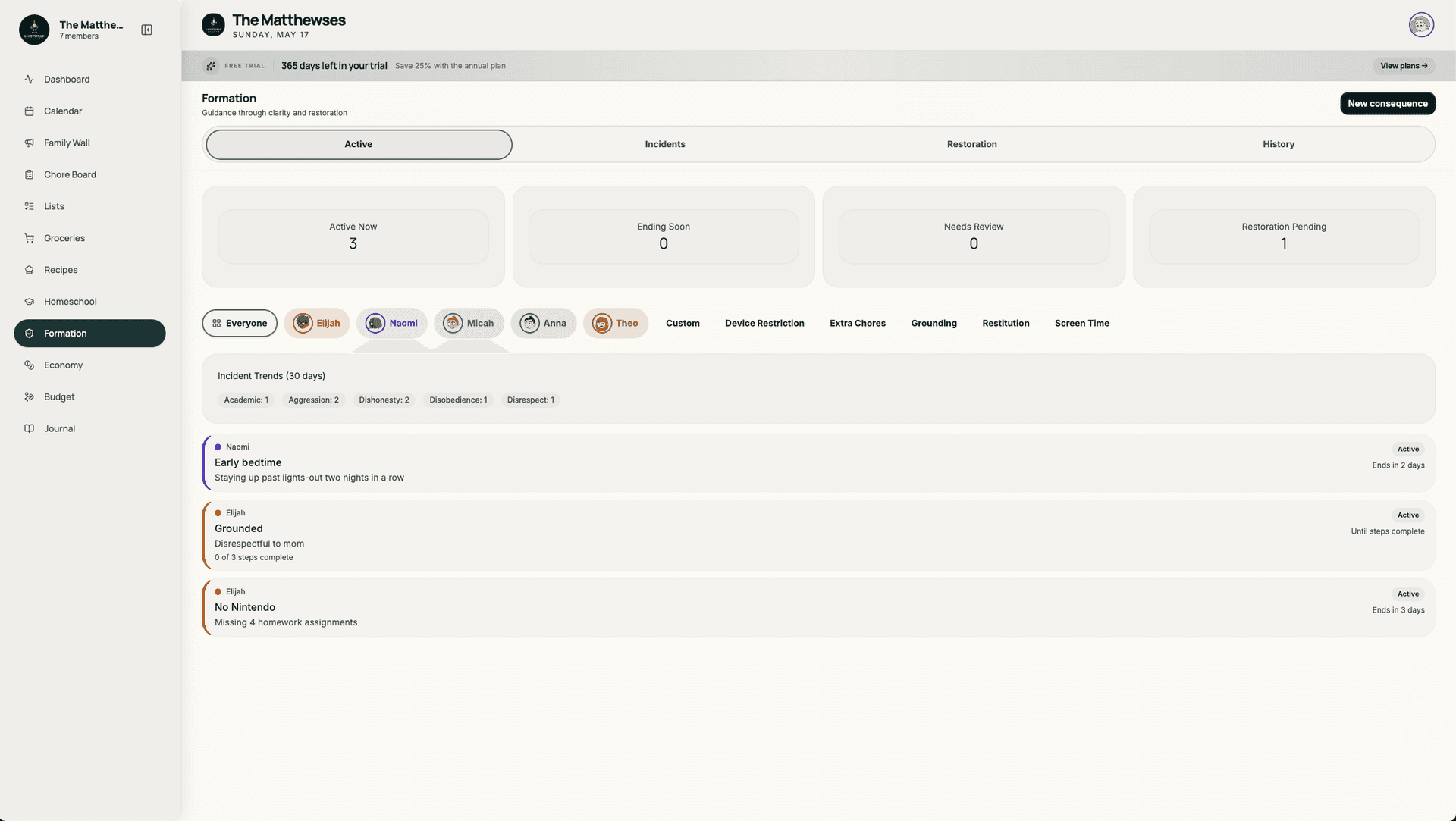
What's open right now — grouped by child.
The active tab shows every consequence in flight, grouped by child with accent colors, with progress on the restoration steps. A glance tells you who's mid-loop and where they are. No more "wait, is Sam still on no-screens?" five days later.
- Per-child grouping with accent colors
- Step-by-step progress visible
- One-tap mark complete (parent)
- Overdue steps flagged for follow-up
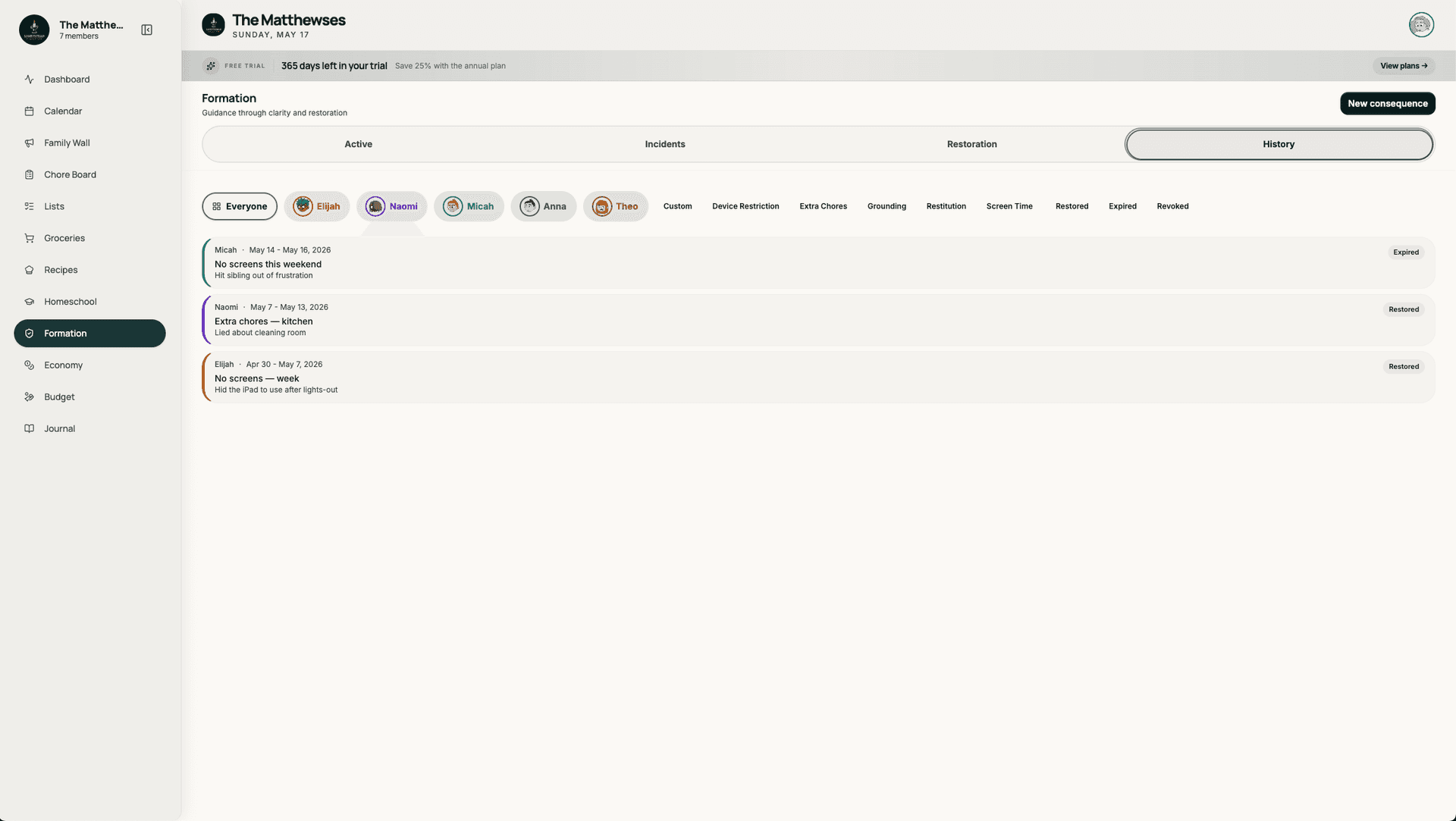
Past incidents stay searchable — so the pattern shows up.
History lives in its own tab. Filter by child, category, time range. See the trend: more incidents on school-day Mondays? More minor incidents in summer? The data is yours and stays in the household — no AI summary, no third-party dashboard.
- Filterable by child / category / time
- Trend view by month / week
- Drill into past consequences
- Export to CSV for your own analysis
It works alone — but it's better with the rest.
Common questions.
Is Formation a punishment tracker?
It's a behavior-tracking module, but the design assumption is that punishment doesn't form character — restoration does. Every consequence has restoration steps attached, and "done" means the steps are complete, not that the clock ran out. If you want a count-down timer for time-outs, that's not really what we built.
Who can see Formation entries?
Only parents (or guardians with parent role) see Formation. Kids don't see the incident log, the severity, the active consequences, or the restoration steps in the app — the loop is parent-facing. If you want a kid to know about a restoration step, you tell them directly; the app never shows Formation in a child's view at all. Formation is one of the parent-only modules on Lightstead (alongside homeschool reports and economy admin).
What are severity levels for?
Minor / moderate / serious is a household-defined scale. You decide what each level means in your home — there's no app-prescribed definition. Most families use minor for everyday friction, moderate for intentional unkindness, serious for safety or trust violations. The levels help you see patterns over time and pick proportionate restoration steps.
Can both parents (or other guardians) see the log?
Yes. Anyone with parent role in the household sees all of Formation. The log is shared, so you don't end up in he-said-she-said disagreements about what happened or what was tried.
Can I export incidents?
Yes. CSV export per child, per category, or full household. Useful for therapy intake forms, family meetings, or your own pattern analysis. Your data isn't shared with us beyond what's needed to run the app.
Is this for special-needs families or all families?
Built for all families, but our early users include several with kids in therapy or counseling who needed a shared log between parents, therapists, and teachers. The restoration framing comes from those conversations. Works fine for neurotypical kids whose parents just want a calmer way to handle the everyday.
Behavior tracking that ends in repair.
14-day free trial. Incident log, restoration steps, parent-only history — all in one household workspace.
Start free trial